Case Study
AutoSmart Learn
Role: Product Designer — UI Redesign, Mobile Responsiveness, Course Flow Optimization
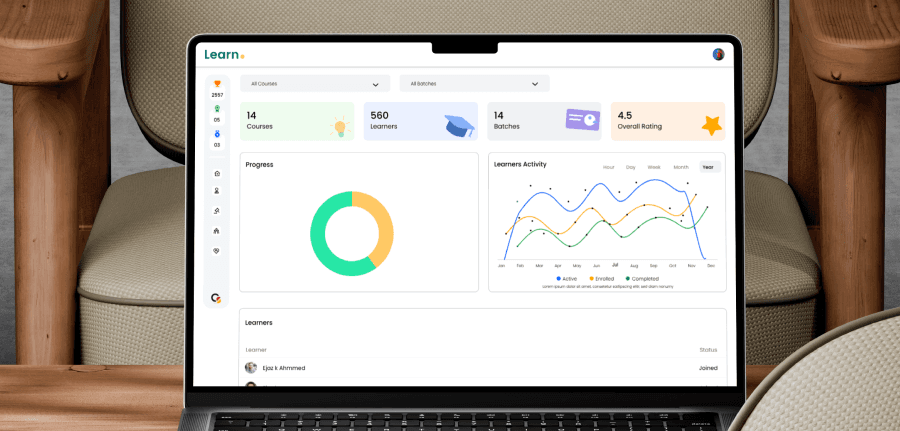
Overview
AutoSmart Learn is an internal Learning Management System (LMS) designed for companies and institutions to train employees at scale. The platform enables organizations to create structured courses with module-wise content, exams, mock tests, and auto-generated certificates. It also includes gamification features such as badges and performance-based rewards, along with department-wise learner management.
The system is used by 10,000+ employees across organizations. When I joined, the platform was functional but visually outdated and difficult to scale. My goal was to redesign the user experience, modernize the interface, improve learning workflows, and make the platform fully mobile responsive.
The Challenge
Despite strong adoption, the existing experience had multiple UX issues:
Old-school UI that did not reflect a modern learning product
Messy course creation flow, making it hard for admins to build structured content
Confusing learner and department management
Poor module hierarchy, affecting learner understanding
Lack of mobile responsiveness, limiting accessibility for employees
These challenges slowed onboarding and reduced engagement across a large user base.
My Responsibilities
As a Product Designer, I worked on:
Redesigning the entire UI into a clean, modern system
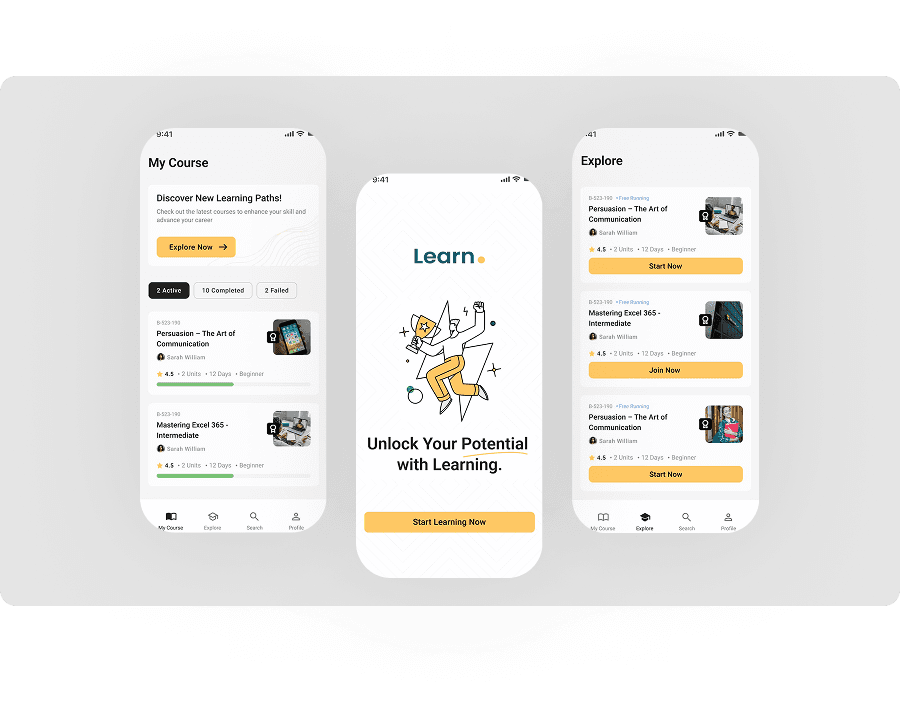
Making the platform fully mobile responsive
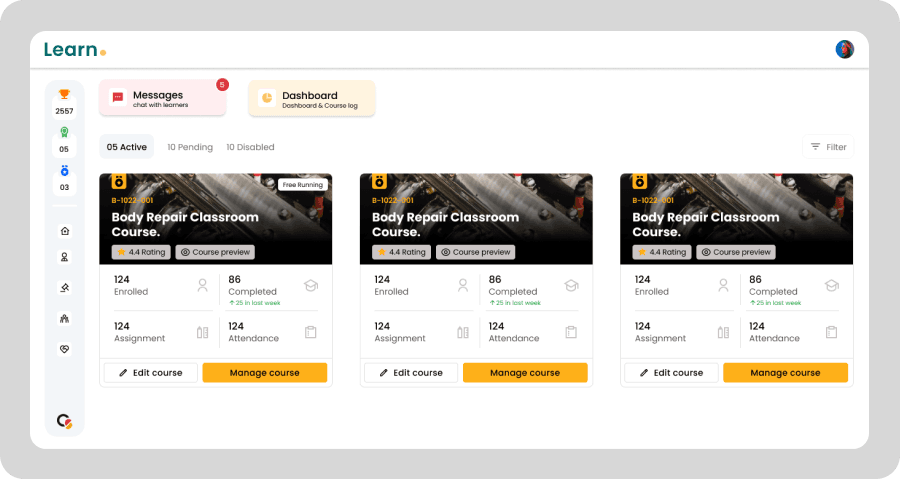
Creating a new dashboard with actionable insights
Simplifying course creation and module management flows
Improving exam and mock test experiences
Designing professional, auto-generated certificate layouts
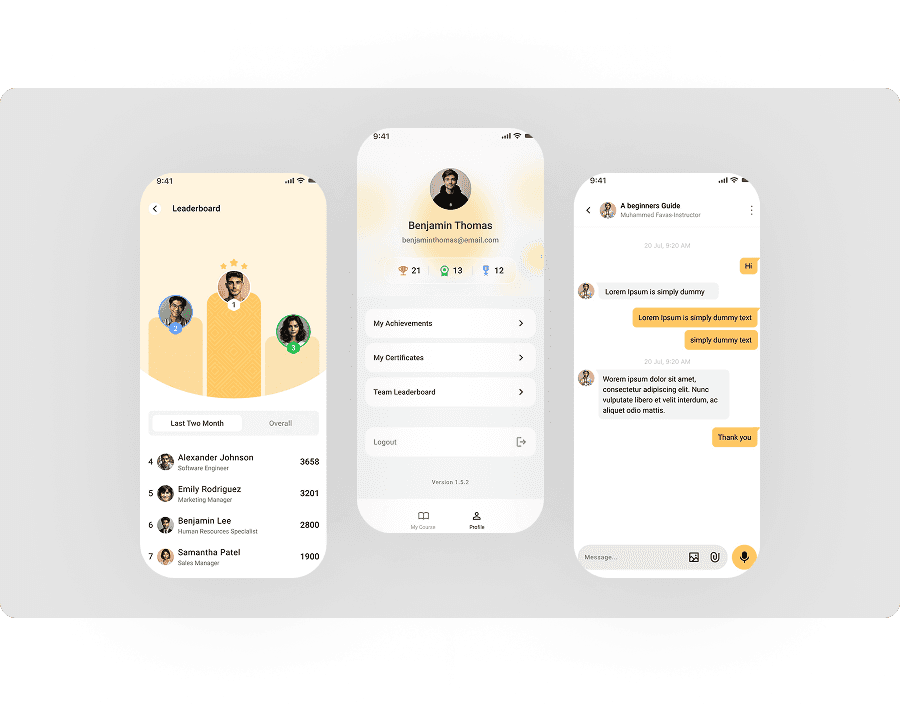
Creating a new gamification system with badges and achievements
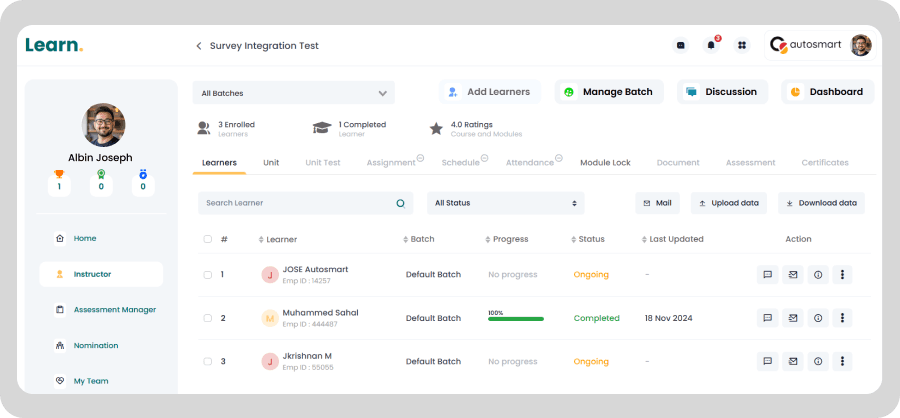
Streamlining learner management by departments and roles
Process
I analyzed how administrators create courses, assign learners by department, and track progress.
On the learner side, I focused on how employees consume content, complete exams, and view achievements.
This helped identify friction points that affected both productivity and motivation.
I redesigned core workflows to be clear and structured:
Course creation: step-by-step, module-based structure
Module management: better hierarchy for lessons, quizzes, and tests
Learner management: simplified department-wise assignment
Exam flow: cleaner question navigation and results view
The focus was on reducing complexity while maintaining flexibility.
I replaced the outdated UI with a modern design system:
improved spacing and readability
clear typography hierarchy
consistent components
dashboard cards for key insights
The entire product was made mobile responsive, ensuring employees could learn anytime, anywhere.
To increase engagement, I designed:
performance-based badges
course completion achievements
visual reward components
These features encouraged participation and completion across large teams.
5. Certificate Design & Auto-Generation
I created clean certificate layouts that auto-generate upon successful completion, providing a professional end to each learning journey.
Outcome & Impact
The redesign significantly improved usability and adoption:
Modernized LMS used by 10,000+ employees
Faster course creation for admins
Improved learner onboarding and engagement
Clearer learning structure across departments
Positive internal feedback from admins and learners
Better accessibility through mobile responsiveness
Overall, Learn. evolved into a scalable, modern learning platform designed for real organizational needs.
Reflection
This project reinforced the importance of designing learning systems that work for both creators and learners. By simplifying flows, improving clarity, and modernizing the interface, I helped transform Learn. into a platform that supports continuous learning at scale.